
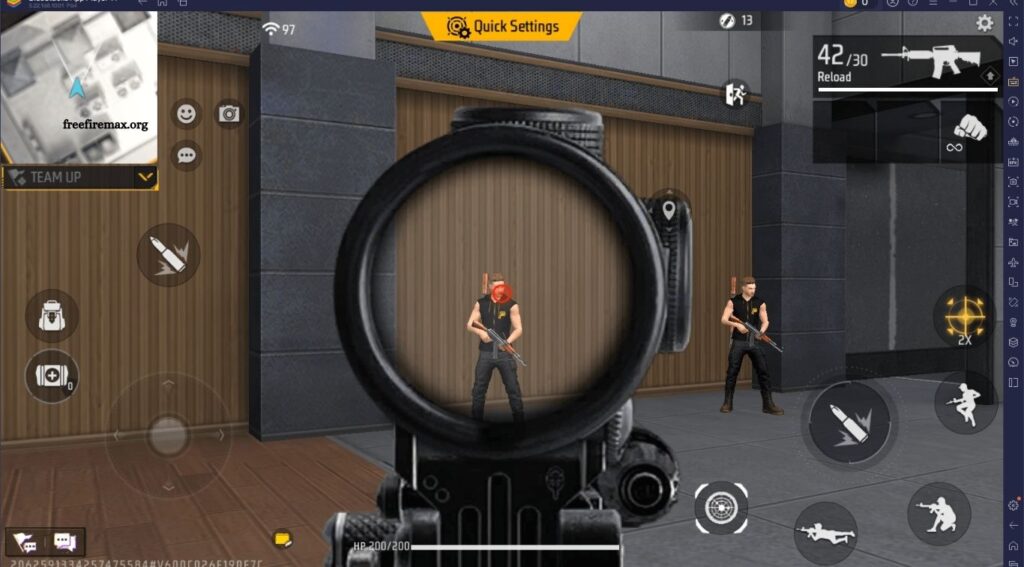
Getting faster headshots in Free Fire MAX requires more than quick reflexes. Your sensitivity, control layout, aiming preferences, graphics settings, and device performance can all affect how quickly you move the crosshair toward an opponent’s head. The right settings can make aiming feel more comfortable and consistent.
There is no single configuration that works perfectly for every player or device. Screen size, touch response, frame rate, weapon choice, and personal control style all influence performance. Instead of copying settings without testing them, use a balanced configuration as a starting point and adjust individual values through practice.
Read More: Free Fire MAX Inventory Management Guide
Adjust Sensitivity Carefully
Sensitivity determines how quickly your aim responds when you move your finger across the screen. Higher sensitivity can make quick camera movements easier, while lower sensitivity may provide greater control during precise adjustments.
For faster headshots, many players experiment with higher sensitivity values, particularly for general camera movement and close-range aiming. However, extremely high sensitivity can make the crosshair difficult to control. Adjust one setting at a time and test it until your movement feels responsive without becoming unstable.
Find the Right General Sensitivity
General sensitivity affects how quickly your view moves during normal camera control. It plays an important role when tracking enemies and quickly changing your aim direction.
A moderately high setting can help players perform faster movements, especially during close-range fights. If your crosshair frequently moves past the target, reduce the sensitivity slightly. If your camera feels slow when following enemies, increase it gradually.
Optimize Red Dot Sensitivity
Red Dot sensitivity becomes important when using weapons and aiming situations involving closer targets. A suitable value can make it easier to move the crosshair while maintaining control.
Avoid changing Red Dot sensitivity dramatically without testing it. Make small adjustments and practice against moving targets. The goal is to make short upward or sideways movements feel predictable rather than excessively fast.
Adjust 2X Scope Sensitivity
The 2X scope is useful for medium-range engagements, where precision becomes increasingly important. Excessive sensitivity can cause the crosshair to move too far when making small corrections.
Choose a setting that allows controlled tracking of moving opponents. If you regularly struggle to keep the crosshair on a target through the 2X scope, experiment with slightly lower sensitivity before increasing it again.
Test 4X Scope Sensitivity
The 4X scope generally requires more precise control because it is commonly used for longer-range engagements. Small finger movements can produce larger changes in aim when magnification is involved.
A balanced 4X sensitivity can help maintain target tracking without making the scope feel uncontrollable. Practice at different distances and test both stationary and moving targets before deciding whether your setting works.
Consider Sniper Scope Sensitivity
Sniper gameplay often rewards precise adjustments rather than extremely fast camera movement. A sensitivity setting that feels excellent for close-range combat may not feel comfortable when using a sniper scope.
Experiment with sniper sensitivity separately from your close-range settings. The objective is to make small corrections predictable while retaining enough responsiveness to follow moving targets.
Customize Your Control Layout
The position and size of your buttons can influence how quickly you aim and fire. A poorly positioned fire button may force unnecessary finger movement during important fights.
Customize the HUD according to your hand position and preferred control method. Keep frequently used buttons accessible and avoid placing important controls so close together that accidental presses become common.
Choose a Comfortable Fire Button Size
The fire button should be large enough for reliable input but not so large that it interferes with other controls. Its position can also affect how easily you perform quick aiming movements.
Experiment with different sizes during practice matches. A comfortable button can help you maintain consistent finger movement and reduce missed inputs during close-range engagements.
Use the Right Aim Settings
Aim-assist and aiming options can influence how the crosshair behaves when targeting opponents. The best option depends on your playstyle and how much manual control you prefer.
Test available aiming modes in controlled situations rather than changing several settings at once. Understanding how each mode affects target tracking can help you choose an option that feels predictable and comfortable.
Improve Crosshair Placement
Settings alone cannot guarantee faster headshots. Crosshair placement is one of the most important mechanical skills because starting with the crosshair near an opponent’s upper body reduces the distance needed to move toward the head.
Practice keeping your crosshair at an appropriate height while moving around the map. This allows you to react more quickly when an opponent appears and reduces the amount of correction required before firing.
Practice Controlled Drag Movements
Fast headshots often involve moving the crosshair upward while firing. The exact movement depends on the weapon, distance, sensitivity, and personal control style.
Practice short, controlled movements instead of making large unpredictable swipes. The goal is to develop consistent muscle memory so that your finger movement becomes easier to repeat during real fights.
Optimize Graphics and Frame Rate
Graphics settings can influence how smoothly the game runs on your device. Higher visual quality is not always useful if it causes frame drops or inconsistent performance during combat.
Prioritize stable gameplay over unnecessary visual effects when your device struggles with performance. A consistent frame rate can make touch input and enemy movement feel more predictable, which can support more reliable aiming.
Reduce Unnecessary Performance Problems
Background applications, limited storage, device overheating, and battery-saving restrictions can sometimes affect gaming performance. These issues may produce lag or inconsistent responsiveness that makes aiming more difficult.
Before playing competitively, close unnecessary applications and keep your device in a suitable performance condition. Avoid playing for long periods when overheating causes noticeable performance problems.
Test Settings in Training
Changing settings and immediately entering a competitive match makes it difficult to determine whether the adjustment actually helped. Training areas provide a safer environment for testing sensitivity, aiming, movement, and weapon control.
Spend several minutes testing each major change. Practice flicks, tracking, close-range fights, and longer-distance aiming. Keep settings that produce consistent results rather than settings that feel impressive for only a few attempts.
Change One Setting at a Time
Changing multiple sensitivity values simultaneously can make it difficult to identify what improved or damaged your aim. If your performance changes, you may not know which adjustment caused the difference.
Change one setting, test it, and then decide whether another adjustment is necessary. This method takes longer but helps you build a configuration based on your own gameplay rather than blindly copying another player’s settings.
Avoid Copying Pro Settings Blindly
Popular players may share their sensitivity and control configurations, but their settings are not guaranteed to work for everyone. Different phones, screen sizes, touch responses, refresh rates, and playing habits can produce different results.
Use other players’ configurations as reference points rather than exact instructions. Adapt the settings to your own device and gradually create a setup that feels natural.
Match Settings to Your Device
A setting that performs well on one smartphone may feel completely different on another. Screen dimensions, touch sampling, refresh rate, processor performance, and game optimization can all influence the overall experience.
Start with moderate values and adjust according to your device. If your screen responds very quickly, you may need less sensitivity than someone using a different device. Consistency is more important than using a particular numerical configuration.
Build Muscle Memory
Headshot speed improves when your hands become familiar with the same movements. Frequently changing sensitivity can make it harder to develop reliable muscle memory.
Once you find a comfortable configuration, keep it consistent for a reasonable period. Regular practice allows your fingers to learn the required movements and can make aiming feel more automatic during intense fights.
Frequently Asked Questions
What sensitivity is best for headshots?
There is no universal setting. Choose a sensitivity that allows fast movement while keeping your crosshair under control.
Does higher sensitivity improve headshots?
Higher sensitivity can make quick movements easier, but excessive sensitivity may reduce aiming control.
Should I copy professional player settings?
Use them as references rather than exact configurations because devices and playstyles differ.
Does the fire button affect headshots?
Yes. Its size and position can influence how comfortably and consistently you aim and fire.
Can graphics settings affect aiming?
Unstable performance or frame drops can make gameplay less responsive, so stable performance is important.
How often should I change sensitivity?
Make small changes when necessary and spend enough time practicing before deciding whether a setting works.
Conclusion
The best settings for faster headshots are the ones that provide responsive movement without sacrificing control. Sensitivity, scope settings, HUD placement, fire-button size, aim options, and device performance can all influence your shooting experience, but none of them replaces practice and good crosshair placement. Start with balanced settings, test them in training, and make small adjustments based on your actual gameplay. Avoid constantly copying other players or changing multiple options at once.


Pingback: How to Push Rank Without a Team - Free Fire Max