
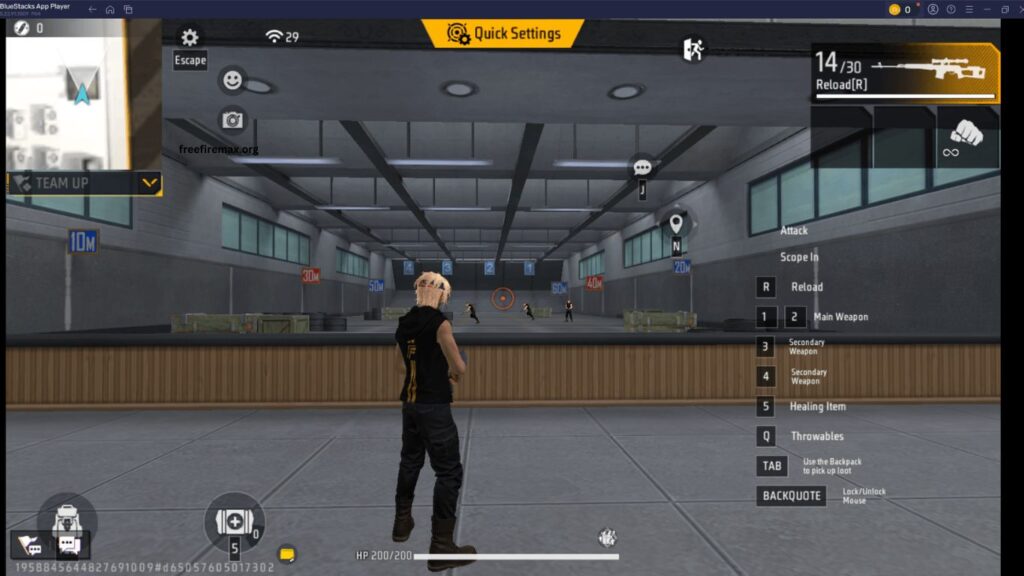
Free Fire MAX delivers impressive graphics, smooth animations, and an exciting battle royale experience. However, low FPS can cause lag, stuttering, delayed controls, and an inconsistent gaming experience. Improving FPS can make gameplay smoother and help you react faster during intense fights.
This guide explains practical ways to increase FPS in Free Fire MAX, reduce lag, improve device performance, and enjoy smoother gameplay without compromising stability.
Read More: Best Skills to Combine for Ranked Matches
What Is FPS in Free Fire MAX?
FPS means Frames Per Second. It represents how many individual frames your device displays every second during gameplay. Higher FPS generally provides smoother animations and more responsive controls.
Free Fire MAX can feel significantly smoother when the device maintains a stable frame rate. Low FPS can make the game appear choppy, while unstable FPS can cause sudden freezes during combat.
Lower Free Fire MAX Graphics Settings
Graphics settings have a major impact on FPS. Higher visual quality requires more processing power from your phone, especially on devices with limited RAM or weaker graphics hardware.
Open Free Fire MAX settings and choose a lower graphics quality if your game frequently drops frames. Reducing unnecessary visual effects can help your device maintain a more stable frame rate during matches. For competitive gameplay, smoother performance is usually more valuable than maximum visual quality.
Enable the Highest Available FPS Option
Free Fire MAX includes FPS-related settings on supported devices. If your phone provides a higher FPS option, enabling it can make movement and aiming feel smoother.
However, higher FPS increases power consumption and may generate more heat. If your phone becomes extremely hot, performance can eventually decrease because of thermal throttling. A stable FPS level is better than constantly switching between high and low performance.
Close Background Applications
Background applications consume RAM, processor resources, and battery power. Social media apps, browsers, video players, downloads, and other running services can reduce the resources available to Free Fire MAX.
Before starting a match, close unnecessary applications. This can free system resources and help the game run more consistently, particularly on phones with limited RAM.
Keep Your Phone Cool
Heat is one of the biggest causes of performance drops during extended gaming sessions. When a smartphone becomes too hot, its system may reduce processor performance to control temperature.
Avoid playing Free Fire MAX under direct sunlight or while the phone is charging whenever possible. Removing a thick phone case during long gaming sessions can also improve heat dissipation. A cooler device generally has a better chance of maintaining consistent FPS.
Free Up Storage Space
Low storage can affect overall device performance. A phone filled with unnecessary files, cached data, large videos, and unused applications may become slower over time.
Remove unnecessary files and applications to maintain sufficient free storage. Keeping reasonable free space can help the operating system manage temporary files and game data more efficiently.
Update Free Fire MAX and Your Phone
Game developers regularly release updates containing performance improvements, bug fixes, compatibility changes, and optimization enhancements.
Keep Free Fire MAX updated through the official app store. You should also install stable system updates offered by your smartphone manufacturer. An outdated game or operating system can sometimes create compatibility or performance issues.
Use Your Phone’s Performance Mode
Many modern smartphones include gaming or performance modes. These features can prioritize system resources for gaming, reduce interruptions, and optimize device performance.
If your phone offers a dedicated gaming mode, enable it before launching Free Fire MAX. Avoid aggressive battery-saving modes during gameplay because they may limit processor performance and reduce FPS.
Avoid Playing While Charging
Gaming while charging can increase heat, especially during long sessions. Higher temperatures can eventually reduce performance and cause FPS drops.
For the best performance, allow your phone to remain at a comfortable temperature. If charging is necessary, avoid intensive gaming until the device has cooled down.
Use a Stable Internet Connection
FPS and internet latency are different issues, but both can affect the overall gaming experience. Low FPS is caused mainly by device performance, while high ping is related to network conditions.
Use a stable Wi-Fi or mobile data connection when possible. Avoid downloading large files or streaming high-bandwidth content while playing Free Fire MAX. A stable connection can reduce network-related delays and make gameplay feel more responsive.
Restart Your Phone Before Gaming
A simple restart can clear temporary system processes and refresh available resources. If your phone has been running for several days, restarting it before an intensive gaming session may improve overall responsiveness.
This method does not increase the hardware capabilities of your phone, but it can help eliminate temporary performance issues caused by background processes.
Choose Performance Over Graphics
Players looking for competitive performance should prioritize consistent FPS over maximum graphics quality. High graphics settings may look attractive, but they can place additional load on the processor and GPU.
A balanced configuration with lower graphics and higher stable FPS can provide smoother movement, faster reactions, and more comfortable aiming.
Frequently Asked Questions
How can I increase FPS in Free Fire MAX?
Lower graphics settings, enable high FPS, close background apps, and keep your device cool.
Why does Free Fire MAX lag on my phone?
Low RAM, overheating, limited storage, outdated software, or demanding graphics can cause lag.
Does lowering graphics increase FPS?
Yes. Lower graphics reduce GPU load and can improve FPS stability.
Should I use High FPS mode in Free Fire MAX?
Yes, if your device supports it and remains stable without excessive heating.
Does RAM affect Free Fire MAX FPS?
Yes. More available RAM can help reduce background resource limitations and improve stability.
Can overheating reduce FPS in Free Fire MAX?
Yes. Excessive heat can cause thermal throttling, which may reduce performance.
Conclusion
Increasing FPS in Free Fire MAX can make gameplay smoother, faster, and more responsive. Optimizing graphics, closing background apps, keeping storage free, using performance mode, and preventing overheating can improve FPS stability. For the best gaming experience, focus on maintaining a consistent frame rate rather than simply choosing the highest graphics settings.

Pingback: Free Fire MAX Graphics Settings Guide - Free Fire Max