
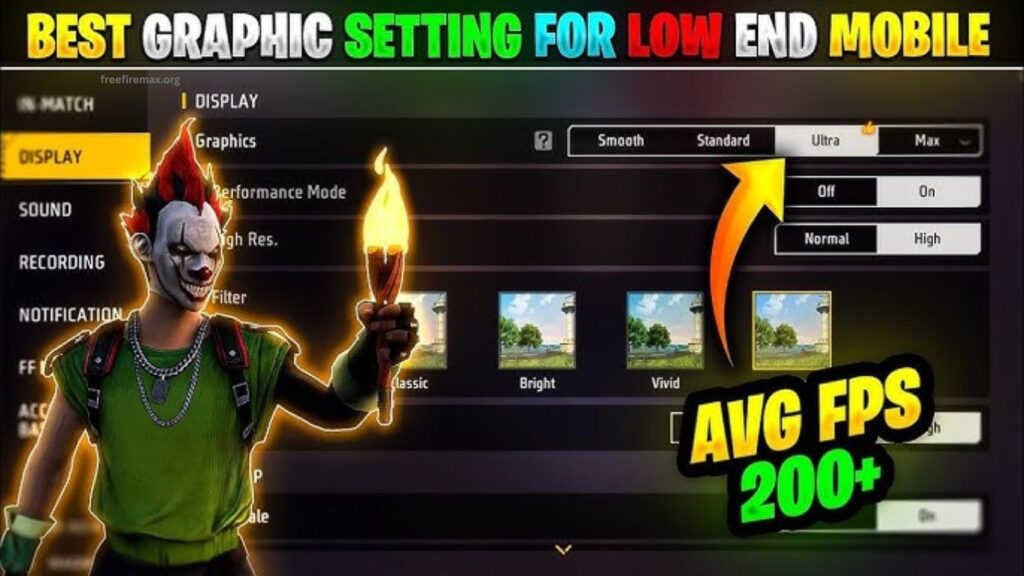
Free Fire MAX delivers a more detailed visual experience with improved textures, lighting, shadows, and effects. Choosing the right graphics settings can make gameplay smoother, improve visibility, and reduce distracting frame drops during intense matches.
Every smartphone handles Free Fire MAX differently. A setting that works perfectly on a powerful gaming phone may cause overheating or lag on a budget device. Finding the right balance between visual quality and performance helps create a better gaming experience.
Read More: How to Increase FPS in Free Fire MAX
Why Graphics Settings Matter in Free Fire MAX
Graphics settings directly affect how the game looks and performs. Higher settings can make characters, environments, weapons, and effects appear sharper. Lower settings reduce the workload on the device and can improve frame stability.
Smooth gameplay is especially important during close-range fights. Stable frames can make moving, aiming, shooting, and quick reactions feel more responsive. For competitive players, performance should usually take priority over maximum visual quality.
Best Free Fire MAX Graphics Settings for Smooth Gameplay
Players looking for stable performance should start with moderate graphics quality and prioritize frame rate. Use Smooth or Standard graphics when your phone struggles with heating or frame drops.
Keep the High FPS option enabled when your device supports it reliably. Higher frame rates can make camera movement and aiming feel smoother. If enabling high FPS causes excessive heating, battery drain, or stuttering, lowering the option can provide better overall stability.
Turn off unnecessary visual effects when available. Extra effects may look impressive, but they can increase the workload on the processor and GPU during busy moments.
Best Graphics Settings for High-End Phones
High-end smartphones can handle higher graphical settings without major performance problems. Players with powerful processors and capable GPUs can use higher-quality graphics for sharper textures and richer environments.
A suitable setup can include High or Ultra graphics, High FPS, and enhanced visual effects. Monitor device temperature during long gaming sessions because high graphics settings can still increase power consumption and heat.
Competitive players with high-end phones may prefer slightly lower graphics with maximum stable FPS. This setup often provides a better gameplay advantage than using every visual option at its highest level.
Best Graphics Settings for Low-End Phones
Budget smartphones should focus on stability rather than graphical quality. Start with Smooth graphics and enable the highest stable FPS option supported by the device.
Reduce unnecessary effects and avoid forcing maximum graphics through unofficial tools. Such changes can increase overheating, battery consumption, and game instability.
Closing background applications before launching Free Fire MAX can also free system resources. Keeping enough storage space available and updating the game can help maintain consistent performance.
Best Settings for Competitive Players
Competitive Free Fire MAX players generally need fast and consistent performance. Lower graphics settings can improve frame stability and reduce visual distractions.
A practical competitive setup includes Smooth graphics, High FPS, moderate visual effects, and stable sensitivity settings. Players should test these options inside Training Mode before entering ranked matches.
Visibility also matters. Excessive effects can sometimes make it harder to notice enemies during intense fights. A cleaner visual setup can help players focus on movement, positioning, and target tracking.
How to Reduce Lag in Free Fire MAX
Graphics settings are only one part of performance optimization. Network quality, device temperature, available RAM, storage space, and background applications can also affect gameplay.
Restart the phone before a long gaming session if performance has become unstable. Close unnecessary apps, avoid playing while the device is extremely hot, and use a reliable internet connection.
Players should also avoid suspicious third-party graphics boosters or modified game files. Official game settings provide a safer way to optimize performance without creating unnecessary security or account risks.
Free Fire MAX Graphics Settings for Better FPS
Frame rate should remain a priority when the goal is smooth gameplay. Higher FPS makes animations and camera movement appear more fluid, while unstable FPS can create noticeable stuttering.
If the game runs smoothly at high FPS, keep the option enabled. If frequent frame drops occur, lower graphics quality first rather than immediately sacrificing frame rate.
Testing different combinations for several matches can reveal the best balance for each device. Performance should be judged during actual fights because demanding situations can produce more frame drops than the lobby or Training Mode.
Best Graphics Settings for Battery Saving
High graphics and high FPS can consume more battery because they require greater processing power. Players who want longer gaming sessions should reduce graphics quality and avoid unnecessary visual effects.
Lower brightness, close background applications, and avoid gaming while charging whenever possible. These habits can reduce heat and help maintain more consistent performance.
How to Choose the Right Free Fire MAX Graphics Settings
The ideal setup depends on the smartphone’s hardware and the player’s priorities. Players who value visual quality can increase graphics settings gradually. Players focused on ranked matches should prioritize stable FPS and responsive controls.
Test one setting at a time instead of changing everything simultaneously. This makes it easier to identify which option improves or reduces performance.
Common Graphics Setting Mistakes
Using maximum graphics on every smartphone can lead to overheating, frame drops, and battery drain. Another common mistake involves using third-party applications that promise unrealistic FPS improvements.
Players should also avoid judging performance only from the game’s lobby. A setting may appear smooth initially but struggle during crowded areas, vehicle movement, explosions, or close-range battles.
Frequently Asked Questions
What are the best Free Fire MAX graphics settings?
Smooth graphics with the highest stable FPS usually provide excellent performance for competitive gameplay.
Which graphics setting gives better FPS?
Lower graphics quality generally reduces GPU workload and can help maintain more stable FPS.
Should I use High FPS in Free Fire MAX?
Use High FPS when your device can maintain it without overheating or frequent frame drops.
Which settings are best for low-end phones?
Smooth graphics and stable FPS are recommended for phones with limited processing power.
Can high graphics cause lag?
Yes. High graphics can increase device workload and may cause frame drops on less powerful smartphones.
How can I reduce Free Fire MAX overheating?
Lower graphics settings, reduce unnecessary background apps, and take breaks during extended gaming sessions.
Are third-party graphics tools safe?
Third-party tools can create security and account risks. Official Free Fire MAX settings are the safer option.
Conclusion
Choosing the right Free Fire MAX graphics settings can improve gameplay, FPS stability, and overall responsiveness. Smooth graphics with stable FPS work well for competitive players, while high-end devices can use enhanced visuals. Test different settings based on your device, manage overheating, and prioritize consistent performance for a smoother Free Fire MAX experience.

Pingback: How to Fix Free Fire MAX Lag on Android - Free Fire Max