
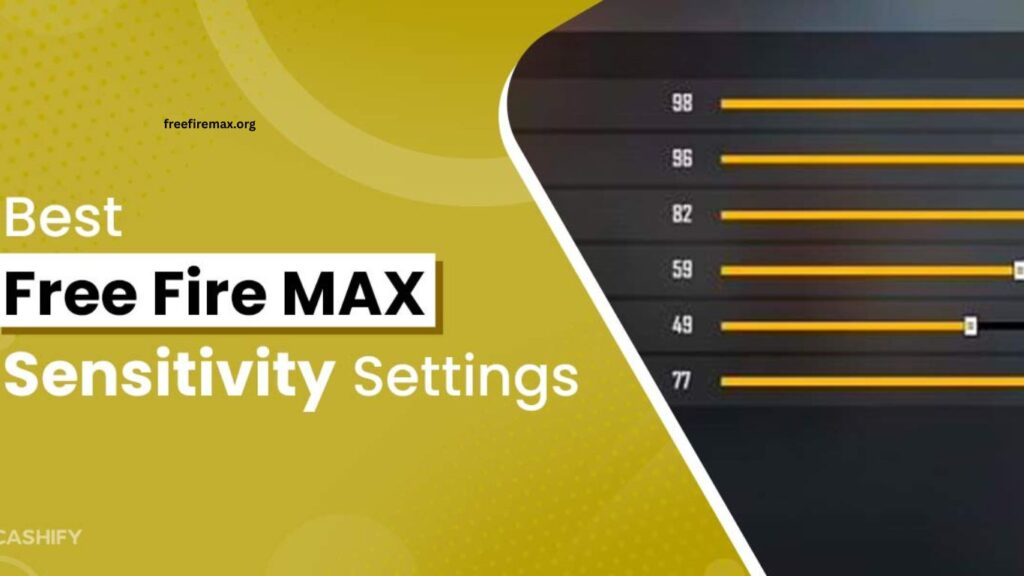
Free Fire MAX has become one of the most competitive battle royale games, making precise aiming and smooth movement essential for every player. Even the best weapons cannot deliver consistent results without the right sensitivity settings. Every smartphone performs differently depending on its display, processor, refresh rate, and touch response. Because of this, using the same sensitivity on every device rarely produces the best experience.
Finding the perfect sensitivity helps improve accuracy, faster reactions, and better recoil control. Whether you play on an entry-level smartphone, a mid-range device, or a flagship gaming phone, optimizing your settings can significantly improve your performance. This guide explains the best Free Fire MAX sensitivity settings for every device while helping you understand how to fine-tune them according to your playstyle.
Read More: How to Improve Headshot Accuracy in Free Fire MAX
Why Sensitivity Settings Matter in Free Fire MAX
Sensitivity controls how quickly your camera and crosshair move when you swipe across the screen. If the sensitivity is too low, aiming becomes slow and difficult during close-range fights. If the sensitivity is too high, your crosshair may overshoot enemies, making accurate shots harder.
Balanced sensitivity improves headshot accuracy, recoil management, movement speed, and overall confidence during combat. Professional players spend time adjusting these settings because small changes often create noticeable improvements in gameplay.
Best Sensitivity Settings for Low-End Devices
Low-end smartphones usually operate with limited processing power and lower frame rates. High sensitivity values often feel unstable because of occasional lag and delayed touch response.
A balanced setup works much better by keeping movement smooth while maintaining aiming precision. Moderate camera movement allows players to track enemies without excessive shaking. This approach also helps reduce accidental over-aiming during intense battles.
Players using entry-level devices should focus on stable gameplay instead of extremely fast camera movement. Consistency wins more fights than unpredictable sensitivity.
Best Sensitivity Settings for Mid-Range Devices
Mid-range smartphones provide better processors, smoother graphics, and faster touch response. These improvements allow slightly higher sensitivity values while maintaining excellent control.
With balanced sensitivity, players can perform quick flicks, improve drag headshots, and react faster during close-range engagements. The smoother display makes crosshair movement feel more natural, helping players maintain better tracking accuracy against moving opponents.
Most Free Fire MAX players achieve their best performance on mid-range devices because they offer an ideal combination of speed and stability.
Best Sensitivity Settings for High-End Gaming Phones
Flagship devices equipped with high-refresh-rate displays deliver extremely responsive gameplay. These smartphones support faster camera movement without sacrificing accuracy.
Higher sensitivity works exceptionally well because the display updates more frequently, making aiming smoother during rapid movements. Players using gaming phones can confidently perform fast flick shots, instant target switching, and aggressive close-range fights.
Professional-level gameplay becomes easier when high sensitivity combines with excellent hardware performance and consistent frame rates.
Understanding General Sensitivity
General sensitivity controls overall camera movement during combat. It affects nearly every aiming situation, making it one of the most important settings in the game.
A balanced General sensitivity allows players to react quickly while maintaining enough control for accurate tracking. Most experienced players adjust this setting first before fine-tuning other sensitivity options.
Red Dot Sensitivity Improves Close Combat
Red Dot sensitivity plays a major role in short-range battles where fast reactions determine the winner. Proper adjustment helps players lock onto opponents quickly without losing control.
A comfortable Red Dot sensitivity allows smoother sprays and easier headshot attempts. Players who frequently use assault rifles benefit greatly from optimizing this setting.
2X Scope Sensitivity for Medium Distance
The 2X Scope offers excellent visibility during medium-range fights. Proper sensitivity helps players track moving enemies while controlling recoil effectively.
Balanced settings improve burst firing and reduce missed shots. Players should avoid extremely high values because excessive movement makes precise aiming difficult at medium distances.
4X Scope Requires Better Precision
The 4X Scope magnifies targets significantly, making every hand movement more noticeable. Lower sensitivity often delivers better precision because small adjustments become easier to control.
Players who enjoy long-range engagements should spend extra time testing this setting until movement feels smooth and predictable.
Sniper Scope Sensitivity
Sniper rifles demand patience and accuracy. Extremely high sensitivity often causes missed opportunities because tiny movements shift the crosshair too far.
Lower sensitivity provides better stability, allowing players to line up headshots more confidently. Precision becomes far more important than speed when using sniper weapons.
Free Look Sensitivity Helps Map Awareness
Free Look allows players to observe surroundings while running without changing movement direction. Proper sensitivity makes checking nearby enemies quick and effortless.
Good map awareness prevents ambushes and improves survival during the final circles. Players who regularly monitor their surroundings often make smarter tactical decisions.
Customize Settings Based on Personal Playstyle
No sensitivity guide can perfectly match every player. Finger size, screen size, grip style, and reaction speed all influence ideal settings. Aggressive rush players often prefer faster sensitivity for rapid flicks and close-range combat.
Defensive players usually choose slightly lower values for improved precision during controlled engagements. Testing different settings in the training ground remains the fastest way to discover the perfect balance for your gameplay.
Additional Tips for Better Aim
Sensitivity alone cannot guarantee excellent performance. Consistent practice improves muscle memory and aiming precision over time. Keeping your device clean also improves touch response, especially during long gaming sessions.
Maintaining stable frame rates, enabling a high refresh rate if available, and using a comfortable grip further enhance aiming consistency. Combining optimized sensitivity with regular practice creates noticeable improvement in every match.
Frequently Asked Questions
What is the best sensitivity for Free Fire MAX?
The best sensitivity depends on your device performance and personal playstyle. Adjust settings until aiming feels smooth and accurate.
Does sensitivity improve headshots?
Yes. Proper sensitivity helps you move the crosshair faster and control recoil, making headshots easier.
Should low-end devices use high sensitivity?
No. Moderate sensitivity usually provides better stability and smoother aiming on low-end smartphones.
Can professional players use different sensitivity settings?
Yes. Every professional player customizes sensitivity based on device, screen size, and playing style.
How often should I change sensitivity settings?
Only adjust sensitivity when needed. Frequent changes can affect muscle memory and aiming consistency.
Where can I test new sensitivity settings?
Use the Free Fire MAX Training Ground to test and fine-tune your sensitivity before playing ranked matches.
Conclusion
The best Free Fire MAX sensitivity settings depend on your device and personal playing style. Low-end phones benefit from balanced stability, while mid-range and flagship devices can comfortably support faster sensitivity for quicker reactions. Instead of copying another player’s settings exactly, use them as a starting point and gradually adjust each option until aiming feels natural. With patience, practice, and the right sensitivity configuration, you can improve recoil control, land more headshots, and achieve more Booyahs in Free Fire MAX.