
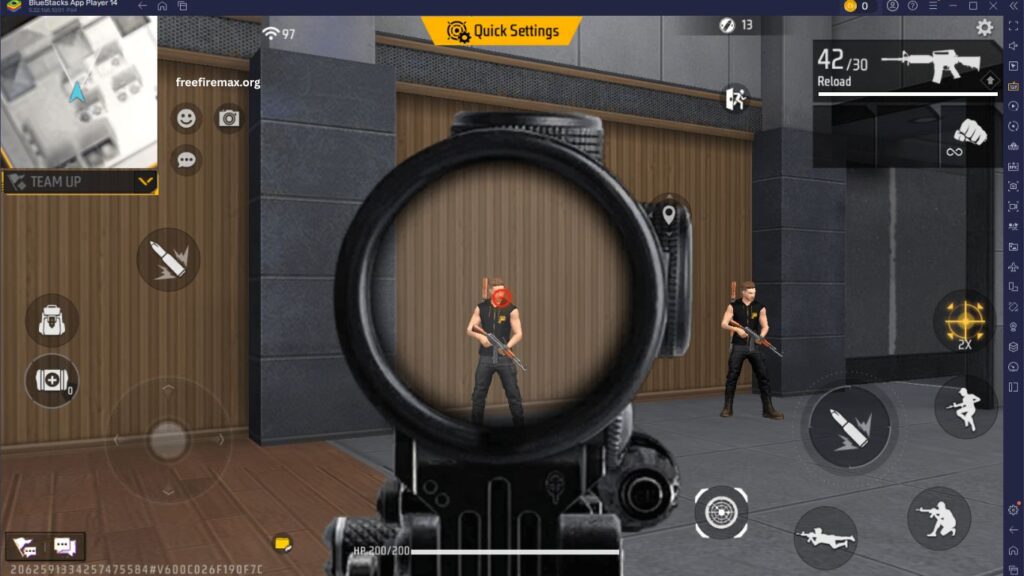
Free Fire MAX offers an enhanced battle royale experience with improved graphics, realistic effects, and better visual quality. However, many players face lag, frame drops, and slow performance because of incorrect game settings or limited device resources. Choosing the right Free Fire MAX settings can improve gameplay speed, reduce delays, and provide a smoother experience during intense battles.
Optimizing the game settings helps players enjoy better controls, faster reactions, and stable performance. Whether you play on a budget smartphone or a high-end device, adjusting the right options can make a noticeable difference in your overall gaming experience.
Read More: Best Character Combinations for Ranked Matches
Why Free Fire MAX Settings Matter for Smooth Gameplay
The right settings play an important role in improving game performance. High graphics settings may look attractive, but they can create problems on devices with limited processing power. Lag during fights can affect aiming accuracy, movement speed, and decision-making.
Free Fire MAX requires a balance between visual quality and performance. Players who focus on smooth gameplay should prioritize stable frame rates, responsive controls, and reduced system load. Proper configuration allows the game to run efficiently without unnecessary interruptions.
Best Graphics Settings for Better Performance
Graphics settings directly affect how smoothly Free Fire MAX runs on your device. Players looking for a lag-free experience should adjust graphics according to their smartphone capabilities. Lower or balanced graphics options can improve FPS stability and prevent overheating during long gaming sessions.
The smooth graphics mode is suitable for most devices because it reduces pressure on the processor and graphics unit. Players with powerful smartphones can use higher settings while maintaining smooth performance, but competitive players often prefer performance over visual effects.
Adjust Sensitivity Settings for Faster Controls
Sensitivity settings are essential for improving aim and movement in Free Fire MAX. Every player has a different playing style, so sensitivity should be adjusted based on personal comfort. Proper sensitivity helps with faster camera movement, accurate targeting, and better control during close-range fights.
A balanced sensitivity setup allows players to react quickly without losing control. Testing different sensitivity levels in training mode can help players find settings that match their gameplay style and improve overall accuracy.
Improve FPS and Reduce Lag Issues
Frame rate stability is one of the most important factors for smooth gameplay. A higher and stable FPS provides better animations, quicker responses, and smoother character movement. Players should close background applications before launching Free Fire MAX to free up device memory.
Keeping the game updated also helps improve performance because developers regularly release updates with optimization improvements. Clearing unnecessary storage space and maintaining device performance can further reduce lag problems.
Control Settings for Better Gameplay Experience
Control customization allows players to create a comfortable layout that matches their gaming habits. A well-adjusted control setup makes actions like shooting, jumping, crouching, and switching weapons faster.
Players should arrange buttons in positions that feel natural and easy to access. A comfortable HUD layout improves reaction time and helps players perform better during competitive matches.
Device Optimization Before Playing Free Fire MAX
Smooth gameplay depends not only on in-game settings but also on device condition. Keeping the phone updated, managing storage, and avoiding excessive background processes can improve performance.
Using a stable internet connection is also important because network issues can create delays even when game settings are optimized. A combination of proper settings and device maintenance provides a better gaming experience.
Frequently Asked Questions
What are the best Free Fire MAX settings for smooth gameplay?
Use balanced graphics, stable FPS, and optimized sensitivity settings for better performance.
How can I reduce lag in Free Fire MAX?
Close background apps, clear storage, update the game, and lower graphics settings.
Does lowering graphics improve Free Fire MAX performance?
Yes, lower graphics can increase FPS and provide smoother gameplay on weaker devices.
What sensitivity is best for Free Fire MAX?
The best sensitivity depends on your playstyle and device, so adjust it through practice.
Can device optimization improve Free Fire MAX gameplay?
Yes, maintaining storage, updates, and background processes can improve game performance.
Why does Free Fire MAX FPS drop during matches?
FPS drops usually happen because of high graphics settings, overheating, or limited device resources.
Conclusion
Free Fire MAX settings can greatly improve gameplay quality by reducing lag, increasing responsiveness, and creating a smoother battle experience. Players should focus on balanced graphics, optimized sensitivity, comfortable controls, and proper device management for the best results. Every device performs differently, so testing and adjusting settings according to personal requirements is the best approach. With the right configuration, players can enjoy faster movements, improved accuracy, and a more enjoyable Free Fire MAX experience.