
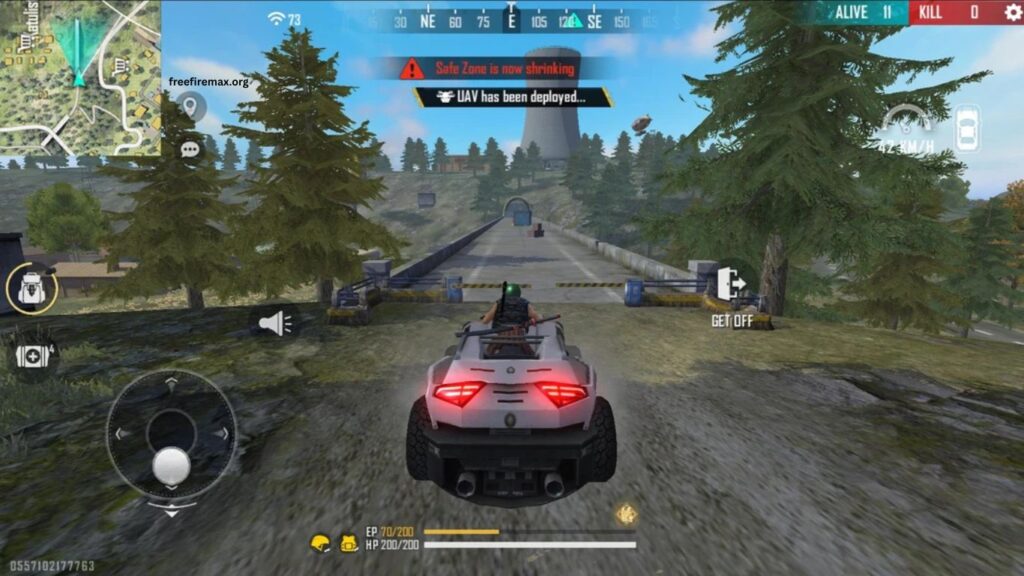
Free Fire MAX delivers an enhanced battle royale experience with improved graphics, smoother animations, detailed environments, and immersive gameplay. Many Android users search for the Free Fire MAX APK when the game is unavailable through their regular app store or when they want to install a specific version manually. However, downloading APK files from unknown sources can expose a device to malware, modified files, or unwanted applications.
This guide explains how to download and install Free Fire MAX APK safely while protecting your Android device and personal information. The safest approach is always to use the official app store or an official Garena distribution channel whenever available.
Read More: Best Free Fire MAX Settings for Low-End Devices
What Is Free Fire MAX APK?
Free Fire MAX is an enhanced version of Garena’s popular Free Fire battle royale game. It provides improved visual quality, higher-resolution graphics, better effects, and a more immersive gameplay experience while maintaining the fast-paced style of the original game.
An APK is an Android application package used to install an application manually. When an official store is unavailable, Android users may sometimes install an APK manually. However, the source of the APK is extremely important because modified or unofficial files can contain harmful software.
Why You Should Download Free Fire MAX APK Carefully
Not every website offering a Free Fire MAX APK is trustworthy. Some websites distribute modified APK files that may contain malware, intrusive advertisements, trackers, or other unwanted software.
A fake APK can also create account-security problems. If a modified version requests unusual permissions, login credentials, or access to sensitive information, installing it can put your data at risk.
Before downloading an APK, check the website reputation, verify that the file matches the official game version, and avoid suspicious download buttons or pages that require unnecessary applications.
The Safest Way to Download Free Fire MAX
The safest option is to install Free Fire MAX through the official Google Play Store or another official distribution channel supported by Garena. Search for the official game and verify the developer information before starting the installation.
If you need to install an APK manually, obtain it only from a reputable and verified source. Avoid websites offering suspiciously modified versions such as unlimited diamonds, unlocked features, hacks, or cheats. These versions can compromise both your device and game account. Never provide your Google account password, Free Fire login credentials, or payment information to an APK download website.
Check Your Android Device Before Installation
Before installing an APK manually, make sure your Android device has enough free storage and is running a supported version of Android. Keeping Android and Google Play Protect updated can also improve device security.
It is useful to review the application’s requested permissions. A game should not normally require access that appears unrelated to its core functionality. Unusual permission requests should be treated as a warning sign.
How to Install Free Fire MAX APK on Android
After obtaining a legitimate APK from a trusted source, open the downloaded file through your Android device’s file manager. Android may display a security warning when an application comes from outside the Google Play Store. If manual installation is necessary, Android may require permission for the browser or file manager to install applications from that source. Enable this permission only for the trusted source and disable it again after installation.
Start the installation and wait until Android completes the process. Once installed, open Free Fire MAX and allow only the permissions that are necessary for the game to function properly. If Android reports that the APK is unsafe, corrupted, incompatible, or potentially harmful, do not bypass the warning blindly. Delete the file and obtain the game through an official source instead.
Avoid Modified and Unofficial Free Fire MAX APKs
Modified APKs can look attractive because they may advertise unlimited diamonds, unlocked skins, special abilities, or other advantages. However, these claims often come with significant security risks.
Using unauthorized game modifications can also violate the game’s rules and potentially result in account restrictions or bans. For a safer gaming experience, use the official version and avoid files promising unrealistic benefits.
How to Verify an APK Before Installing It
File verification can help reduce the risk of installing a tampered application. Compare the APK’s version information with the official release information and check whether the file comes from a trustworthy publisher. You can also scan downloaded files with reputable security software before opening them.
If the file behaves unusually, requests excessive permissions, redirects you to unrelated websites, or repeatedly triggers security warnings, remove it immediately. A trustworthy installation should not require disabling important security protections permanently.
Common Problems During Free Fire MAX APK Installation
Some users may encounter an error because the APK is incompatible with their Android version, damaged during download, or intended for a different device architecture. Insufficient storage can also prevent successful installation.
If installation fails, avoid downloading several random APK versions from unknown websites. Check the official game requirements, remove the damaged file, free some storage, and try the official installation method.
Protect Your Free Fire Account
Account security is just as important as APK security. Never enter your game credentials on unofficial websites offering free diamonds, rewards, skins, or special access.
Use official account-recovery methods and avoid sharing verification codes or passwords with anyone. If an APK or website asks for sensitive account information without a legitimate reason, close it immediately.
Frequently Asked Questions
Is Free Fire MAX APK safe to download?
Yes, when downloaded from an official or highly trusted source. Avoid modified or suspicious APK files.
Can I install Free Fire MAX APK on Android?
Yes, compatible Android devices can install the APK manually when obtained from a legitimate source.
Is Free Fire MAX APK free?
Free Fire MAX is generally free to download and play, although it may include optional in-game purchases.
Are modified Free Fire MAX APKs safe?
No. Modified APKs may contain malware, compromise accounts, or violate the game’s rules.
Why is my Free Fire MAX APK not installing?
The file may be corrupted, incompatible with your Android version, or your device may not have enough storage.
Where should I download Free Fire MAX?
The safest option is the official Google Play Store or an official Garena distribution channel.
Conclusion
Downloading and installing Free Fire MAX APK safely starts with choosing a trustworthy source and avoiding modified or suspicious files. Always verify compatibility, keep Android security features active, and protect your gaming account from unknown websites. For the safest experience, use the official Google Play Store or Garena’s official distribution channels whenever available. These precautions help you enjoy Free Fire MAX with better security and fewer installation problems.


Pingback: Complete Guide to Firelink Account Transfer - Free Fire Max